





Using the GoTrust hardware encryption key from MojeID on Linux
November 16, 2020It's common to work on a computer, so it's a safe bet that your computer contains private data, whether personal or work-related. Therefore, you should be careful about the security of this data and the security of the application where you log in. The best way to keep your application login secure is to use a hardware encryption key. For example, GoTrus with FIDO2 support is used for web applications to rum. In this article, I will describe the GoTrus key and my experience with it.
You can increase security and convenience with the Bitwarden password manager.
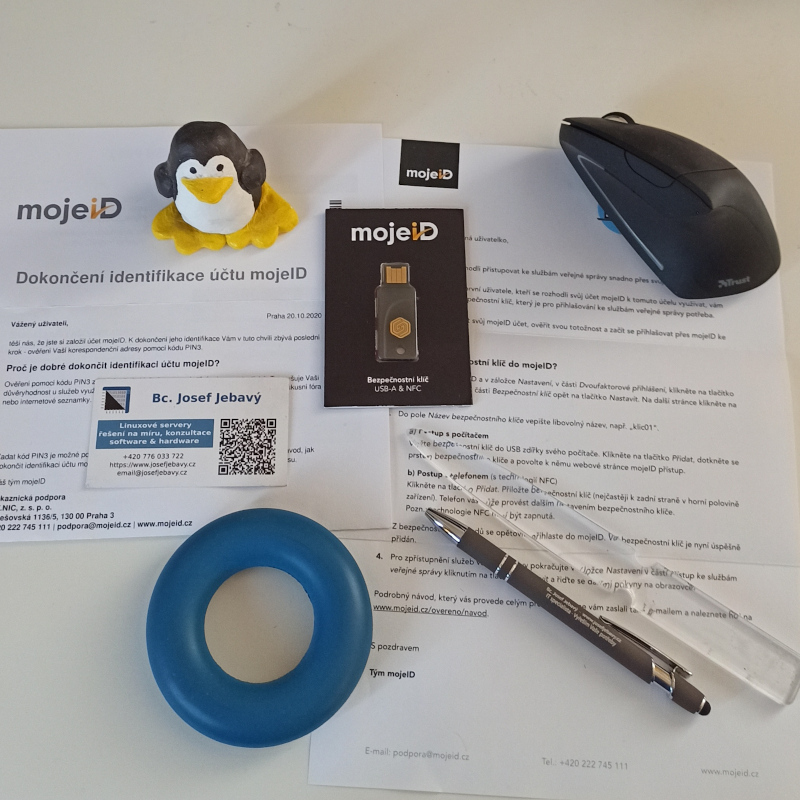
The GoTrust hardware encryption key arrived to me as part of the #overenomojeid campaign. The main and basic principle is like that of Java Open Platform smart cards. The difference is that this HW key is on USB, comes with a factory-installed application and implements the FIDO2 protocol. So from a user perspective, all you need to do is buy the key, have a FIDO2-enabled browser and you can use the security key to log in to your application. That is, if the application can take advantage of it, such as mojeID, which supports FIDO2 login.
There are other manufacturers of such HW keys, the most famous is probably YubiKey.
However, the subject of this article is not how the protocol and HW keys work, nor how the FIDO2 protocol works or security in general. But how to make the GoTrust hardware encryption key work in the GNU/Linux operating system.
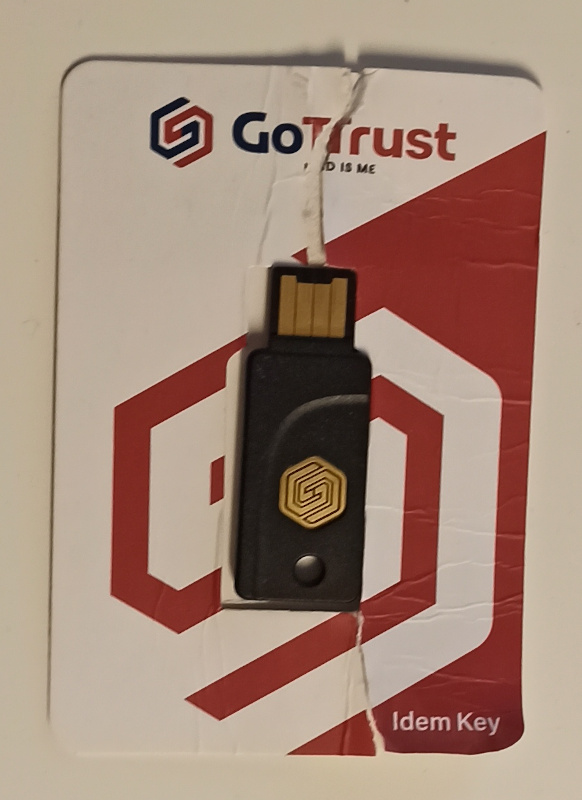
GoTrust Idem Key
Communicates using the FIDO, FIDO2 and U2F protocols. Uses PKCS#11 format keys. It supports the RSA, ECDSA, SHA1, SHA256, 3DES, AES and other encryption algorithms. It supports Windows, macOS, Android, Linux and ChromeOS operating systems.
Here is more detailed information and the parameters of the GoTrust Idem Key that mojeID, or rather the cz.nic association, sends.
Connection
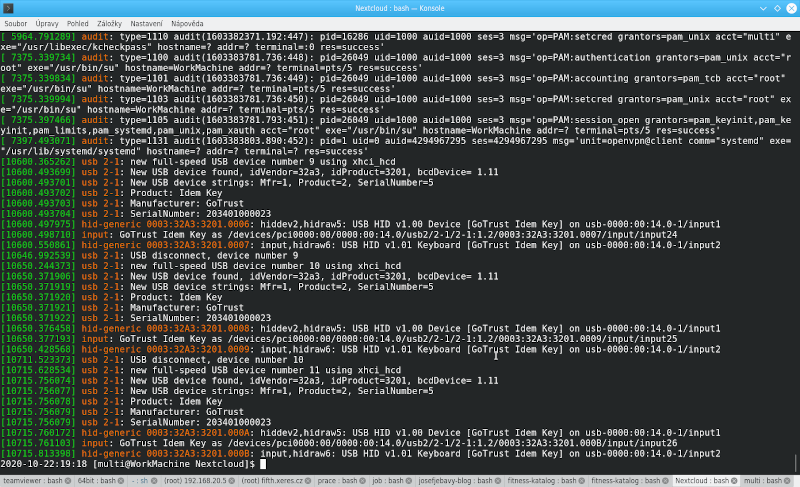
After connecting the GoTrust key to your computer, you can run thedmesg command and you will see the following information from the kernel about the new device:
[10711.523373] usb 2-1: USB disconnect, device number 10
[10715.628534] usb 2-1: new full-speed USB device number 11 using xhci_hcd
[10715.756074] usb 2-1: New USB device found, idVendor=32a3, idProduct=3201, bcdDevice= 1.11
[10715.756077] usb 2-1: New USB device strings: Mfr=1, Product=2, SerialNumber=5
[10715.756078] usb 2-1: Product: Idem Key
[10715.756079] usb 2-1: Manufacturer: GoTrust
[10715.756079] usb 2-1: SerialNumber: 203401000023
[10715.760172] hid-generic 0003:32A3:3201.000A: hiddev2,hidraw5: USB HID v1.00 Device [GoTrust Idem Key] on usb-0000:00:14.0-1/input1
[10715.761103] input: GoTrust Idem Key as /devices/pci0000:00/0000:00:14.0/usb2/2-1/2-1:1.2/0003:32A3:3201.000B/input/input26
[10715.813398] hid-generic 0003:32A3:3201.000B: input,hidraw6: USB HID v1.01 Keyboard [GoTrust Idem Key] on usb-0000:00:14.0-1/input2
With the
lsusb command, you can list how the device is identified on the USB bus:
Bus 003 Device 010: ID 32a3:3201 GoTrust Idem Key
Getting it working on Linux
When plugged into USB the key does not start working with the browser right away. At least not for me - I'm using the Mageia distribution. You need to edit the UDEV configuration. See the manufacturer's FAQS of idem key for details.
You need to create the /etc/udev/rules.d/70-u2f.rules file with the following contents:
ACTION!="add|change", GOTO="u2f_end"

# GoTrust Idem Key
KERNEL=="hidraw*", SUBSYSTEM=="hidraw", ATTRS{idVendor}=="1fc9|32a3", ATTRS{idProduct}=="f143|3201", TAG+="uaccess"

LABEL="u2f_end"
Then reload the UDEV rules configuration with the command:
udevadm control --reload-rules
And now I could conveniently pair the hardware encryption key with the mojeID web app and then use the key to log into it.
Here are also video tutorials on how to use the GoTrust Idem Key.
Security and convenience
Just like Bitwarden, a hardware encryption key increases security while also increasing convenience. Bitwarden also supports logging in using such a key - so it's ideal to pair this with it.
Articles on a similar topic
Newsletter
If you are interested in receiving occasional news by email.
You can register by filling in your email
news subscription.
+