





How to Set Up Remote Playback Over the Network on a DLNA TV
January 6, 2011A TV or other home consumer electronics device that allows playback of multimedia content
If you've already shelled out serious money for an expensive digital TV, which is supposed to be great and you've even paid extra for that Ethernet port, then you're surely asking: How do I get remote playback over the network working on the TV?
Besides an Ethernet port, the TV should have DLNA support, and then you can play not only movies, but also music and browse photos. DLNA isn't exactly an advanced technology, let alone a groundbreaking one, but it's probably the only way to share multimedia over the network on consumer electronics. It would surely be better to use NFS or possibly SMB (=Windows sharing), personally I expected more from DLNA, but some kind of sharing is better than none, or something closed off and therefore unusable. Maybe in time DLNA's capabilities will improve and bring other advantages, or the capabilities of specific DLNA server implementations will add to its usefulness. Another advantage is that DLNA can be called a kind of standard, so DLNA is supported by various manufacturers. Currently (turn of 2010 and 2011), if you buy a new device, there usually shouldn't be a problem playing various video formats anymore, as had been the case up to now. New devices also have better DLNA support now. So it now really makes sense to pay extra for a device with Ethernet.
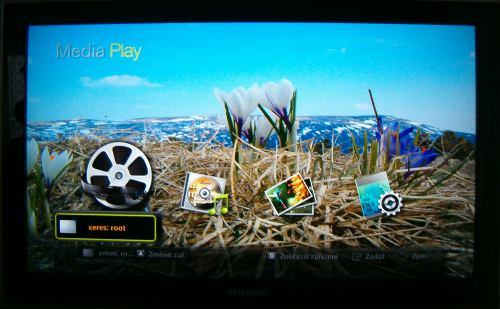
Of course this sounds simple, but how do you actually set it up?
The basic requirements you need:
- a working network, ideally also with DHCP configuration (of course we choose a cable)
- a Linux server (or possibly a desktop)
- a TV, player, or other device with Ethernet and DLNA support
The client device is a digital LCD TV, a Samsung LE32C653.
Choosing a DLNA server
Serviio is a DLNA server written in Java, and it also uses ffmpeg. It's supposed to run on Windows too, and carries all the components it needs along with it for that. On Linux you need to install ffmpeg. It has a graphical client application for configuration. Non-free license!
ps3mediaserver is a DLNA server intended for the PlayStation 3.
miniDLNA is a DLNA server intended for GNU/Linux. I chose this one for its openness!
Setting it up
The downloaded archive with the program contains three files:
etc/minidlna.conf
usr/share/locale/de/LC_MESSAGES/minidlna.mo
usr/sbin/minidlna
Basically just a binary and a config file; after uploading them to the designated directories, it's enough to go through the config file, which is easy to configure, and then start the server manually. For a Linux user who knows their way around, the configuration should be trouble-free. The main thing is to specify the paths to the multimedia content that's meant to be shared over the network.
You need to create an INIT script,
or otherwise arrange for it to start automatically on boot. E.g. by adding a line to the file /etc/rc.local:
minidlna
There's no point running it as root; from a security standpoint it's better to use a different user,
who has access to the files, i.e. run:
su - user -c /usr/sbin/minidlna
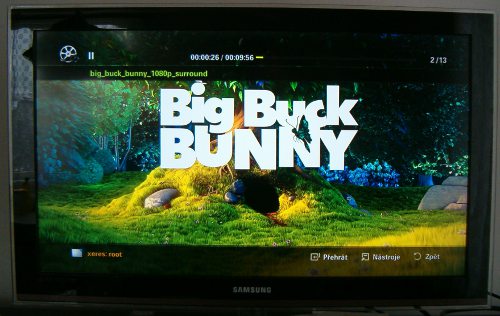
Of course you need to open the relevant ports on the firewall. Port 1900, UDP protocol. And also, with the default settings for miniDLNA, port 8200, TCP protocol.
During brief testing I ran into these problems:
- our TV doesn't display subtitles in the SUB format.
Articles on a similar topic
Kubernetes
SAP HANA database
Command AT
Docker build multiarch image
VMware vs Proxmox: performance comparison
GitLab CI/CD: test automation and application deployment
Migrating VPS from VMware to Proxmox
VMware licensing change
Running Microsoft SQL Server on Linux
Backup: the Proxmox Backup Server
Linux as a router and firewall
How to upload a docker image to the Docker Registry
Linux: logical volume management
Linux Software RAID
Running a web application behind a proxy
Mailbox migration
Docker multistage build
Backing up your data by turning on your computer
Podman
Importing Windows into Proxmox virtualization
Docker and PHP mail
Proxmox virtualization
Docker and Cron
Lenovo ThinkPad X1 Carbon: LTE modem EM7544 commissioning
Yocto Project: Build custom operating system for embedded devices
Preparing a Linux server to run a web application in Python
How to address poor file share performance in Docker
How to get started using Docker correctly
Installing Linux on a dedicated HPE ProLiant DL320e server
How to stress test a web application
Why use the JFS filesystem
How to boot from a 4TB drive with GTP using UEFI
How to Install the Mageia Linux Operating System Without a DVD Drive
Btrfs file system
Raspberry PI
Upgrading Mandriva Linux on the Fly
WINE - running Windous programs under Linux
GNU/Linux operating system
Newsletter
If you are interested in receiving occasional news by email.
You can register by filling in your email
news subscription.
+